Campaign translations


Campagnes vertalen betekende vroeger content kopiëren, nieuwe campagnes maken, afstemmen met vertalers en teamleden apart briefen. Nu heb je twee gestroomlijnde opties, afhankelijk van of je zelf vertaalt of delegeert.
Individuele releases vertalen
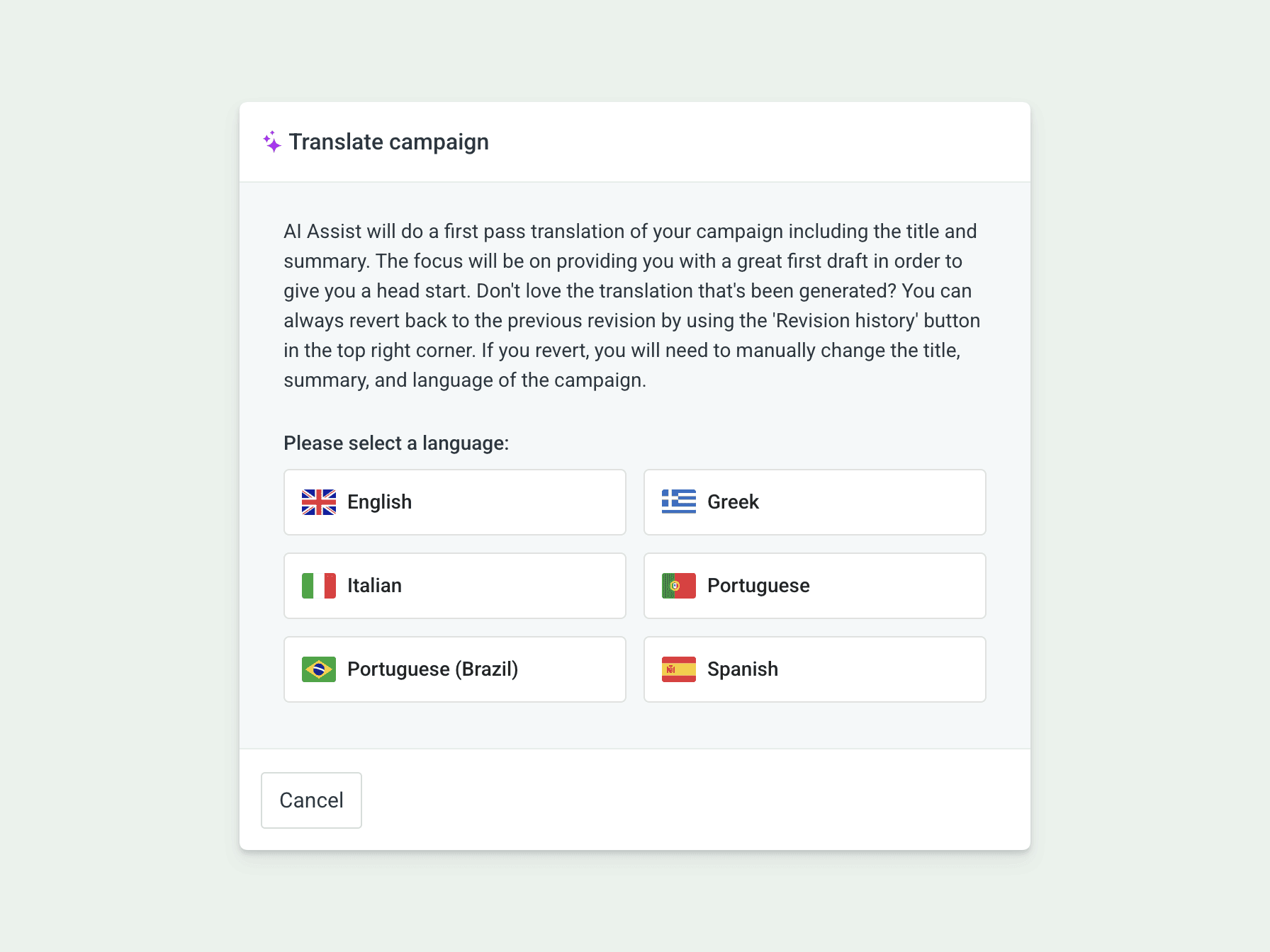
Werk je aan een news release? Klik op "Translate" in de bovenste toolbar om je huidige concept te vertalen zonder de editor te verlaten.
De AI Agent levert een first-pass-vertaling van je titel, samenvatting en body. De focus ligt op een stevig startpunt dat je verder kunt finetunen. Bevalt de vertaling niet? Keer terug naar je vorige versie via de knop "Revision history".
Deze workflow is bedoeld voor wanneer je de vertaling nu zelf wilt doen.
Campagnevertalingen delegeren aan je team
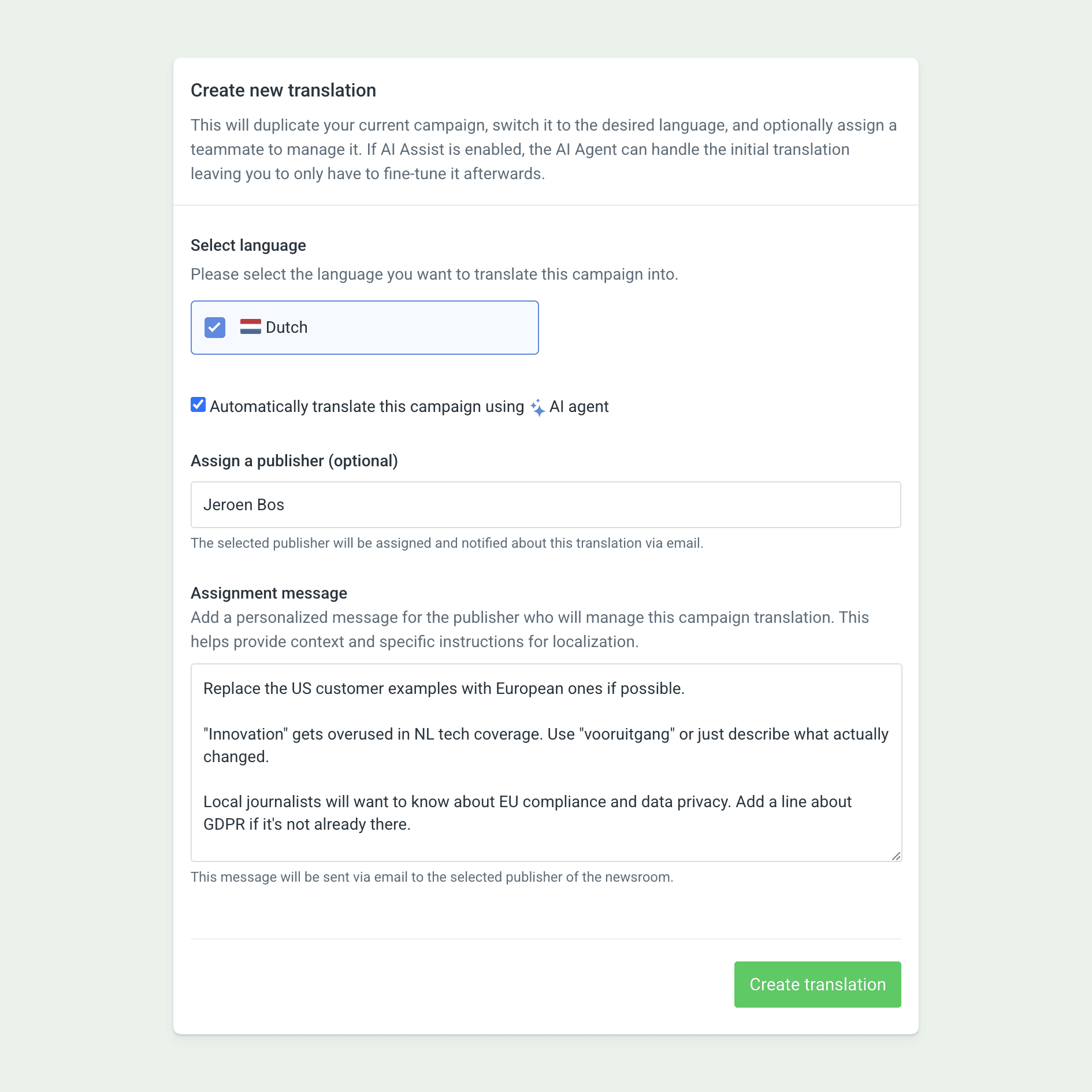
Selecteer "Create translation" in het actiemenu van een campagne. Kies je doeltaal, en het systeem dupliceert je campagne en zet die om naar die taal als aparte campagne.
Als de AI Agent is ingeschakeld, vink je het vakje aan om de vertaling te laten doen. Zo krijgt wie ermee werkt meteen een compleet eerste concept om te verfijnen.
Wijs bij het aanmaken van de vertaling meteen een publisher toe. Die krijgt een e-mailnotificatie en kan meteen aan de slag. Gebruik het toewijzingsbericht om context toe te voegen over lokale markt, voorkeursterminologie of lokalisatie-eisen.
Deze workflow is bedoeld voor wanneer iemand anders de vertaling doet, met alle context die daarvoor nodig is.
Gepubliceerd
Geschreven door