Crisis Communications-software: houd grip op je narratief wanneer het erop aankomt
Vind de juiste crisiscommunicatiesoftware voor je PR-team. Ontdek waar je op let en welke vragen je stelt met deze complete buyer's guide.


Last updated on

TL;DR: Not all crisis communications software solves the same problem. This guide breaks down the different categories, shows you what PR teams should look for, explains where software fits across the crisis lifecycle and helps you evaluate the right solution for your team.
Key insights:
Crisis communications software helps comms teams publish fast, keep messaging consistent, and keep a clear record of what was said and when.
The same term is used to describe three different types of software products. Knowing which one your team needs makes choosing the right platform much easier.
Asking the right questions simplifies the software purchase decision.
Good crisis comms software supports your team throughout the entire crisis lifecycle, from preparation to response and recovery.
PR.co was built to help communications teams stay in control when both the pressure and the stakes are high.

The story breaks before your first coffee. Journalists are already calling. Social media has filled the information vacuum with speculation. Employees are asking managers what’s happening, and leadership wants a statement within the hour.
This is the moment your crisis management gets tested.
The organizations that maintain trust during crises don’t panic, scramble or stall. They know who’s responsible for what, where every update will be created, managed and shared, and how to roll out statements to various audiences and markets quickly.
Most have also invested in good crisis communication software to support their broader crisis management strategy. Why? Because today’s top software products help PR teams maintain narrative control, no matter the circumstances. They can publish information quickly, coordinate messages and protect their brand’s reputation when the heat is turned right up.
Is your team working as efficiently as it can during high-pressure moments? If not, this buyer’s guide to crisis communications software will walk you through the different types of solutions, explain where they fit and unpack how to choose the right platform for your team.
What crisis communication software is (and isn’t)
At its core, crisis communication software gives communications teams one place to prepare, approve, publish and track multichannel communications. It helps response teams act quickly, keep messaging consistent across channels and markets, and maintain a clear record of every update.
The same term is used to describe three different types of software products. Knowing which one your team needs makes choosing a platform much easier.
1. PR, reputation management and communications software
This is software that helps communications teams manage the public-facing side of a crisis: press statements, an owned online newsroom or dark site, media monitoring, and a record of your public response.
It’s built for the people responsible for managing their organization’s public response and broader crisis management communications.. The rest of this guide focuses on this category.
2. Internal employee communications software
Some communication tools focus on communicating with employees during a crisis through emergency notifications, mass messaging, check-in systems and two-way updates.
These platforms help organizations keep staff informed and safe. While they’re an essential part of crisis response, they’re designed for internal communication rather than managing an organization’s public response.
Note, however, that a platform like PR.co can help you to communicate with both internal teams and external stakeholders.
3. Operational incident management software
Some platforms help response teams manage business continuity: what to do when a system goes down, a facility floods, or a supply chain breaks. This is important software, but it isn’t PR software.
If your crisis is about coordinating public statements and protecting your brand’s reputation, a tool built for incident management or mass notification won’t be the right fit.
Knowing which lane you’re in matters. It shapes what you ask vendors, the features you need, and who else on your team should be in the room during procurement conversations. A comms team that evaluates a crisis management platform (or vice versa) usually ends up with a tool that’s strong in the wrong places.
As your organization grows across markets, languages and product lines, you may want to tap into different crisis management software solutions to solve different problems. If your priority is to protect your organization’s reputation and manage the public narrative, you’re ready for software that’s been specifically designed for PR teams.
What to look for in PR crisis communications software
As you start to compare different crisis communications platforms, it’s important to look for crisis management software that will give you both control and speed.
These are the questions every PR team should ask before making a decision:
1. Does the platform include an owned newsroom or dark site?
In a crisis, you need a place that’s always ready for official updates, as this helps you to control the narrative.
An owned newsroom or dark site gives journalists, customers and other stakeholders a single source of truth for statements, updates, media assets and background information.
With an owned newsroom, everyone knows where to find the latest approved version plus any additional information such as media kits or bios.
2. Can your team publish a press statement without involving IT?
In crisis management, every minute counts. If getting a statement live means filing a ticket and waiting for IT, you’ve already lost valuable time.
Look for software that lets your PR team edit and publish directly, from anywhere, without having to loop in a developer. A simple question to ask every vendor is: “How long will it take someone on my communications team to publish a new page without help from IT?”
Our platform, for one, allows PR teams to easily edit and publish their press releases at any moment, wherever they may be.
3. Does the platform help you prepare before the crisis happens?
The best crisis responses aren’t written from scratch at 2 a.m. They’re planned.
Look for software that supports pre-approved templates, holding statements and reusable content, as this will help you respond quickly in a crisis without sacrificing accuracy or consistency.
4. Can the crisis communication software support multiple markets and brands?
If you operate internationally or serve various brands, it’s important to look for software that can manage that complexity from a single place.
It should let central communications teams create and govern approved content while enabling local or brand teams to adapt the content for their audiences. This way, every team can move quickly without drifting from the core message.
As your organization grows, keeping every team member aligned becomes much harder. Our “Ultimate PR Guide for Fast-Growing Companies” unpacks how to scale your PR strategy successfully across new markets and teams.
5. Can you control who has publishing or editing rights?
In a crisis, not everyone should be able to publish or edit public communications. Look for software with clear roles, permissions and approval workflows so the right people stay in control while everyone else can contribute safely.
Your crisis management software should also help you keep a record of who made changes, when they were made, and which version was published, as this gives your team a clear audit trail if questions arise later.
6. Does the PR platform include media monitoring?
A crisis doesn’t stop once you’ve published your statement. The platform should, therefore, also help you monitor news coverage, media mentions and creator content alongside your crisis communications.
Seeing how journalists, influencers and the public respond can help your team spot misinformation, identify emerging issues and decide whether your messages need to change as the situation evolves.
7. Can the crisis comms platform help you prove what happened later?
Every statement, update and correction should be timestamped and easy to retrieve. A clear public record helps with legal reviews, board reporting and post-crisis analysis.
8. Can you easily measure your crisis response?
After the crisis, you’ll want to understand how quickly you responded, which channels reached the various stakeholders and how the story evolved. These insights make the next response better.
Check, therefore, that the communication tools on your shortlist also offer the same kind of analytics and reporting features PR.co does.
Where software fits across the crisis lifecycle
Effective crisis communication starts long before a statement goes live and continues well after the immediate pressure has passed. The right software supports your team throughout the entire crisis lifecycle, from preparation to response and recovery.
Next, we take a closer look at how it fits into every stage. Note, however, that good software can never replace the human decisions in a crisis, e.g., who speaks for the company or when the legal team needs to sign off on a statement.
Prepare. This is when you’ll build your dark site, prepare holding statements and templates, confirm your spokesperson, and define who can edit, approve and publish content. The more you prepare now, the faster you’ll respond when it matters.
Knowing who to communicate with first isn’t always straightforward. Our Crisis Stakeholder Mapping guide helps you prioritize audiences before a crisis puts that decision under pressure.
Respond. When a crisis hits, your software becomes your PR team’s command center.
It helps you publish approved statements quickly, keep every market aligned, monitor media coverage and update your messaging as new information emerges.
The goal is to communicate clearly, consistently and from a single source of truth.
Recover. After the immediate crisis, you’ll use the same platform to monitor your response efforts, review what you published and prepare a report for your management team.
For the full process, including how to build a crisis response team, classify severity and draft a plan step by step, read our Crisis Communications Playbook.
If these are the capabilities you’ve identified as essential, the next step is finding a platform built specifically for communications teams.
If you’re looking for broader guidance on managing your brand’s reputation before, during and after a crisis, our guide to PR Crisis Management is your next best read.
Make PR.co your crisis communications backbone
When a crisis hits, you don’t get time to fix disconnected communication tools, unclear approval processes or a website that depends on IT. The right platform is already in place before the first journalist calls.
PR.co was built to help communications teams stay in control when the pressure is on. Our platform provides both an owned, branded newsroom and a single place from which to publish, coordinate and maintain your narrative.
Your team can publish directly, without waiting on IT, which means you no longer have to choose between moving quickly and staying on-brand.
With PR.co, every market also gets aligned messaging in the right language from the same source, while every statement and update is timestamped and easy to find later.
And because our software has been purposefully built for PR teams, publishing under pressure is straightforward. Our Pages module, for example, makes it easy to create any custom page in minutes and post updates instantly.
Proof in practice: The City of Kortrijk
For the City of Kortrijk in Belgium, crisis communication is a regular part of the communications team’s work.
Before the team implemented PR.co, their press materials were scattered across multiple documents, which created frustrating delays. Today, PR.co provides the team with a secure, centralized communications hub.
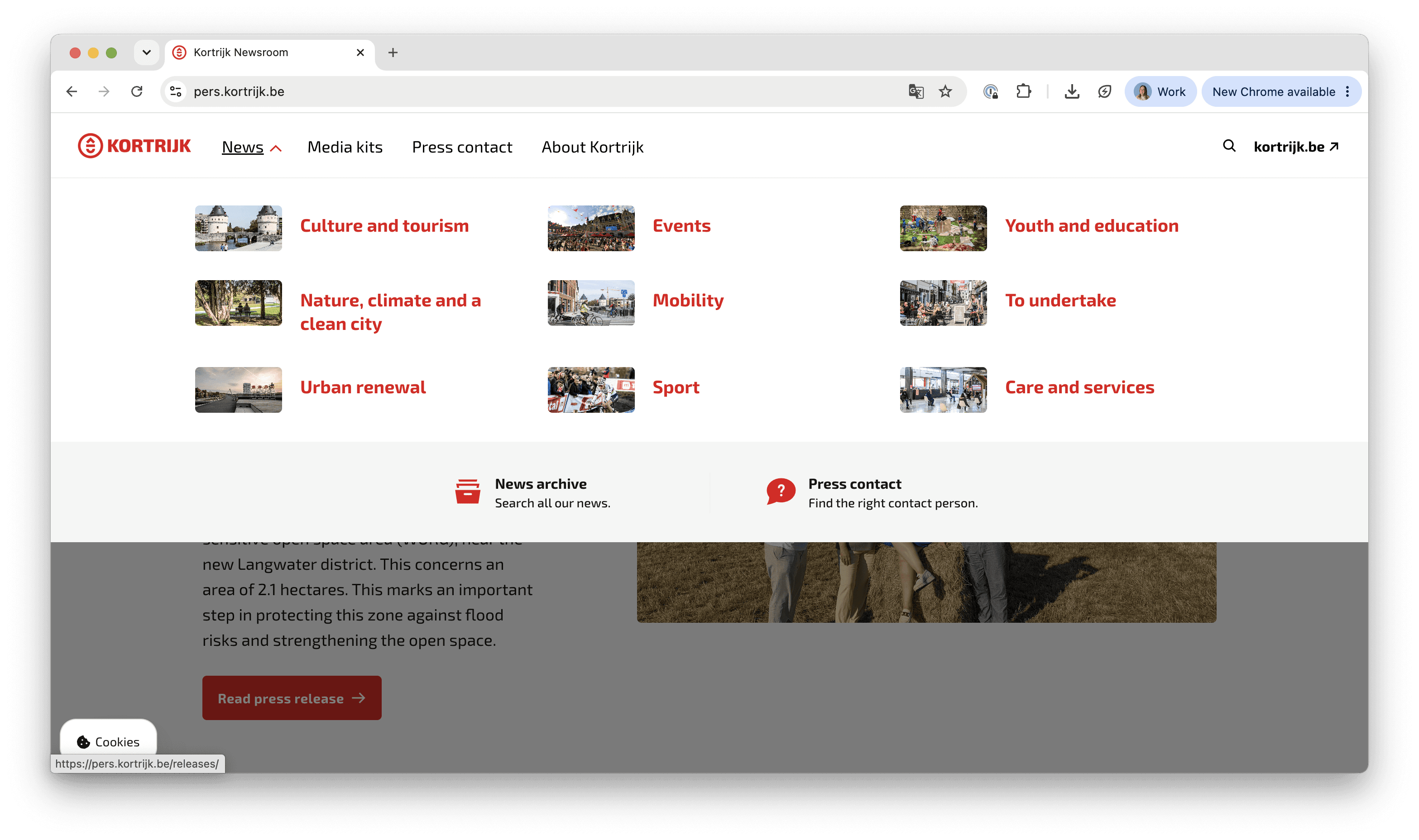
“If there’s a major gas leak or big fire, the PR.co system ensures we can coordinate less in person and don’t lose time setting things up on the technical side,” says press officer Seel Seynhaeve. “We just have our system, and everything fits together neatly.”
Read the full case study for more on how the city built a secure, centralized workflow for their communications.
PR software for brands that can’t afford to get it wrong
PR.co isn’t incident management software, nor is it designed to coordinate operational emergencies. Our platform helps communications teams control what the world sees about their organizations in every market where it matters.
You can browse real examples of PR.co-powered newsrooms, crisis pages included, before you decide whether our platform is right for you.
Alternatively, book a demo to see how PR.co helps communications teams launch crisis pages, publish without IT and keep every market aligned from a single source of truth.
FAQs
1. What is crisis communication software?
It’s software that helps PR and communications teams manage the public-facing side of a crisis. These crisis communications tools help you publish statements fast, keep messaging consistent across markets, and maintain a clear record of what was said. It’s distinct from internal alert systems and operational incident management tools.
2. What’s the difference between crisis communications software and incident management software?
Crisis communication software helps PR teams manage the public response to a crisis. It gives you the tools to prepare, approve and publish statements, manage an owned newsroom or dark site, monitor media coverage and keep your messaging consistent.
Incident management software helps operations teams manage the incident itself, whether that’s a cyberattack, system outage or safety issue. It coordinates the operational response rather than the public one.
Many organizations use both. One helps resolve the crisis; the other helps communicate about it.
3. What should a crisis communication plan include?
A good crisis communication plan should define who does what, who approves what and how information will be shared.
It should also include pre-approved holding statements and templates, a stakeholder communication plan, the channels you’ll use for each audience, and a process for monitoring coverage and adapting your response efforts as the situation evolves.
Our Crisis Communications Playbook covers each step in detail.